Chemistry & Temperature · Tool 04
Development time at a different temperature
About this calculator
A confirmed development time is always associated with a specific temperature. If your water bath deviates from that, a model calculation can serve as a possible starting point. However, it is no substitute for the time specified by the manufacturer for your specific film and developer.
Here you can use your own Q10 factor or derive it from two known exposure times for the same combination. The default factor of 2 is provided solely to demonstrate how to use the feature. I specifically do not want it to be interpreted as a general recommendation for black-and-white film.
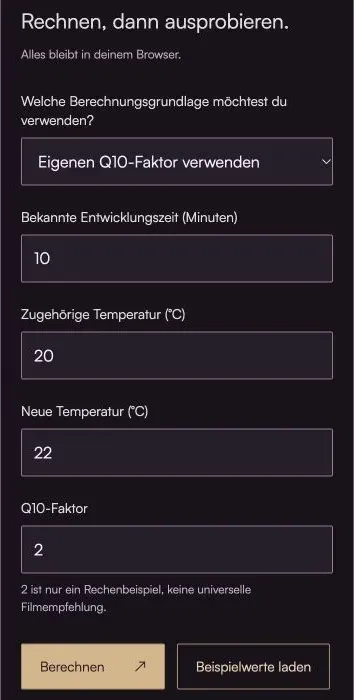
Do the math, then give it a try.
Everything stays in your browser.The calculator is loading …
Your result
100% / Select "Actual Size." Turn off headers and footers. Then check the 100-mm distance with a ruler.
How to Use the Calculator
- Enter the standard development time in minutes and the temperature.
- Use a validated Q10 factor or two confirmed references at different temperatures. The film, developer, dilution, and agitation must remain the same.
- Select the new temperature. Compare the model value with the data sheet and check key shots using a test film.
What's Behind the Bill
New Time = Reference Time × Q10^((Reference Temperature − Target Temperature) / 10)
Q10 describes here by what factor the assumed reaction rate increases when the temperature rises by ten degrees. In the model, the development time behaves inversely to this. A higher temperature therefore results in a shorter time.
An effective factor for this range is derived from two reference times. This is an interpolation or extrapolation of a simplified model. A process consists of several temperature-dependent steps; therefore, contrast, grain, and uniformity do not necessarily remain constant.
This small table shows the range around your target temperature. It is intended to give you a sense of how sensitive the calculation is. It is not a newly determined manufacturer's time table.
An example to work through
If Q10 = 2 is explicitly assumed, 10 minutes at 20 °C becomes approximately 8 minutes and 42 seconds at 22 °C. Two reference values—10 minutes at 20 °C and 5 minutes at 30 °C—yield the same model factor.
Here's what you should keep in mind
- Only between 15 and 30 °C. Even within this range, a particular process may be unsuitable.
- Times under five minutes and temperature changes of more than five degrees are highlighted separately.
- An incorrect reference is not corrected by the conversion. The manufacturer's specifications take precedence.
Frequently Asked Questions (FAQ)
How do I adjust the incubation time if the temperature differs from 20 °C?
First, use an appropriate manufacturer-recommended time for your film-developer combination. If there is no confirmed time for the new temperature, the calculator can estimate a model time using a recorded Q10 factor or two known reference times. The film, developer, dilution, agitation, and target contrast must match the references.
Is Q10 = 2 a general rule for film development?
No. The default value of 2 is an example calculation. Different developers and film stocks react differently to temperature changes. A factor derived from two verified times aligns better with these references, but remains an approximation for the temperature range in question.
Why does a warning appear when build times are very short?
When processing times are less than five minutes, even minor delays in pouring, emptying, and moving the material can have a relatively significant impact. In some processes, this increases the risk of uneven development. The warning is a reason to review the process specifications; it does not automatically mean that every short processing time is incorrect.
Can I use this to calculate push development or color processes?
The calculator does not determine either push times or complete color processes. A temperature correction is no substitute for development tailored to the desired sensitivity and target contrast. Color processes also have their own temperature and time specifications. Use the verified process specifications for this purpose instead of a general Q10 model.
Read More & Sources
If you'd like to learn more about the basics, you'll find helpful explanations here.