Chemistry & Temperature · Tool 02
Photochemistry Dilution Calculator
About this calculator
Developer, stop bath, or fixer: In the darkroom, I don't want to spend time figuring out how much concentrate is needed for the tank. Here, you enter the dilution ratio and total volume, and the system dispenses the concentrate and water separately.
The calculator has been intentionally kept simple. For two existing solutions with different concentrations, there is a more detailed mixture calculator. This calculator is designed for quickly preparing a working solution from a concentrate or stock solution and water.
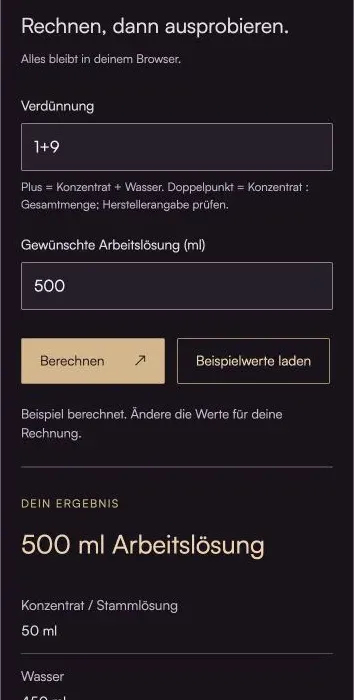
Do the math, then give it a try.
Everything stays in your browser.The calculator is loading …
Your result
100% / Select "Actual Size." Turn off headers and footers. Then check the 100-mm distance with a ruler.
How to Use the Calculator
- Use the dilution ratio from the data sheet, preferably in the unambiguous "plus" notation, such as 1+9.
- Enter the total amount of working solution needed in milliliters. The fill volume is often indicated on the developing tank.
- Measure the dispensed quantities. Also check the minimum amount of concentrate per film and the processing temperature.
What's Behind the Bill
Concentrate = Total Amount × Concentrate Parts / Sum of All Parts
1+9 means one part concentrate and nine parts water. Together, that makes ten parts. For 1+25, that comes to 26 parts. The first number doesn't have to be one: 2+8 works, too.
When using the colon notation, this tool explicitly refers to the ratio of concentrate to total volume. Thus, 1:10 corresponds to 1+9 here. Manufacturers and older instructions do not always use the colon in the same way. If a specification is unclear, the corresponding data sheet takes precedence.
A mathematically correct dilution does not necessarily indicate the capacity. Especially with highly diluted developer, the can may be full but still contain too little active stock solution for the film area. Reuse and depletion are also not factored in here.
An example to work through
500 ml at a 1+9 dilution consists of 50 ml of concentrate and 450 ml of water. For a 1+50 dilution and the same total volume, it consists of approximately 9.804 ml of concentrate and 490.196 ml of water.
Here's what you should keep in mind
- The result is a calculation of quantities; it is not a recommendation for a specific film-developer combination.
- The working solution and the stock solution are not always the same. Check what the ratio refers to.
Frequently Asked Questions (FAQ)
What does a developer dilution ratio of 1+9 mean?
1+9 means one part concentrate or stock solution and nine parts water, for a total of ten parts. To make 500 ml of working solution, you need 50 ml of concentrate and 450 ml of water. With a 1+50 ratio, the total is 51 parts, not 50.
Is 1:10 the same as 1+9?
In this calculator, yes: The colon indicates the ratio of concentrate to total volume. 1:10 here corresponds to one part concentrate and nine parts water. Some photo instructions use the colon differently. Therefore, always check the manufacturer’s definition; the plus notation is clearer for this solution.
Is the calculated work solution sufficient for an entire movie?
Not automatically. The can must be sufficiently filled, and at the same time, there must be a minimum amount of active developer for the film area. A highly diluted solution can fill the can and still contain too little stock solution. You can find the minimum amount and capacity in your developer's data sheet.
Does the dilution refer to the concentrate or to a stock solution?
The manufacturer specifies this. A liquid concentrate is often diluted directly; a powdered developer is usually first fully prepared as a stock solution. Enter the ratio for this specific stock solution into the calculator. Preparing a powdered developer and diluting a liquid developer are different steps in the process.
Read More & Sources
If you'd like to learn more about the basics, you'll find helpful explanations here.